 Local Pulse
Get seen on Google without the busywork
Local Pulse is your Google presence, handled. HoneyBun drafts your Google posts and review replies — you just approve them. An active profile ranks higher and shows up more. Here’s how to run it in two minutes a week.
Connect Google first
Local Pulse works directly on your Google Business Profile, so nothing appears until it is linked. If the Pulse tab shows Connect your Google profile instead of your numbers, tap it and sign in with the Google account that owns your listing. That one sign-in also connects Analytics and Search Console.
Setup lets you tap “I’ll connect later” on this step, so plenty of people land here without it done. It takes about thirty seconds.
Open the 💎 Pulse tab
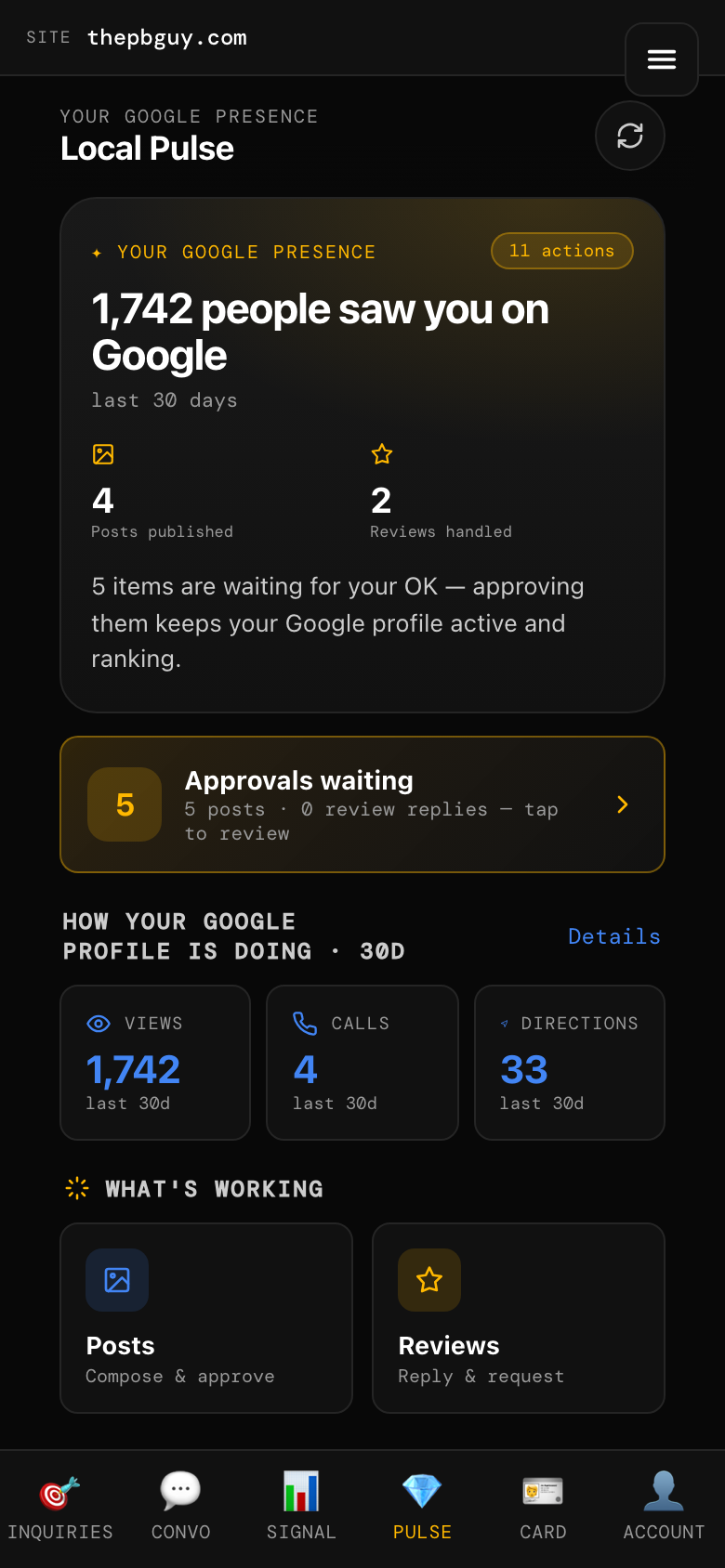
It’s in the bottom bar of your app. The top card shows how many people saw you on Google in the last 30 days, posts published, and reviews handled — plus how many items are waiting for your approval.
Clear your approvals
HoneyBun drafts Google posts and review replies for you. Tap Approvals waiting and go through them — approve, skip, or edit each one. Approving keeps your Google profile active, and an active profile shows up more.
Read your 30-day numbers
Scroll to How your Google profile is doing. You’ll see Views, Calls, and Direction requests from the last 30 days. If the numbers climb, what you’re doing is working.
Post — or let us draft it
Open Posts to write your own or approve an AI draft. Either way, posts are scheduled straight to Google. You never have to log in anywhere else.
Check your inbox and hours
Inbox puts Instagram DMs, Facebook Messenger, and text messages in one place. It runs on a Simplex account — texts go through your Simplex business number, which needs a one-time carrier approval (A2P) before texting works. Not set up yet? Ask your HoneyBun contact. Business Hours lets you change hours once — it saves to Google. Also inside Pulse: Reviews (see the Brand Reputation guide) and Check-ins (see the Job Check-ins guide).
Tap the 💎 Pulse tab